
Blog · Printing guides
Print a Quizlet set as double-sided flashcards
Give your Quizlet study set a paper version. Export an eligible set as text, bring it into FlashcardPrinter, and prepare double-sided pages with aligned questions and answers.
Quizlet’s export limitations
Quizlet only allows you to export sets you created yourself. Copied sets cannot be exported.
Quizlet does not include images in its exports.1
Before you start
Open Quizlet’s website on a computer and log in to your account.
Have a printer that can print double-sided ready.
Open the export menu on your Quizlet set
Sign in to Quizlet on its website. Open Your library → Flashcard sets and choose your set. Open the More menu (three dots) and select Export.
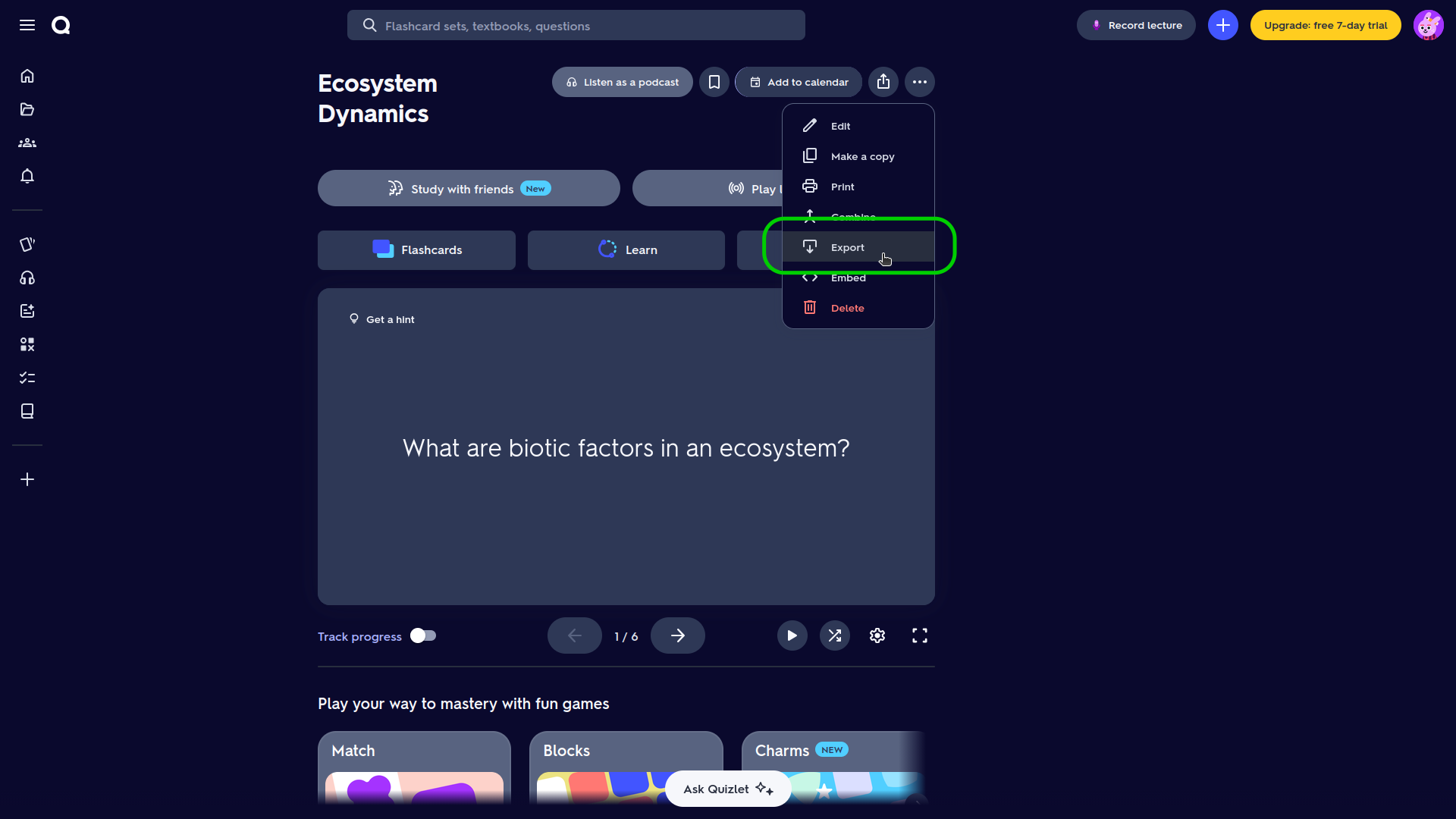
Copy comma-separated text
In the export options, choose Comma between each term and definition, and New line between cards. Then choose Copy text.
Keep each term and its definition on one line. This is the format expected by FlashcardPrinter’s Quizlet import:
Weather,Short-term atmospheric conditions
Climate,Long-term patterns in weather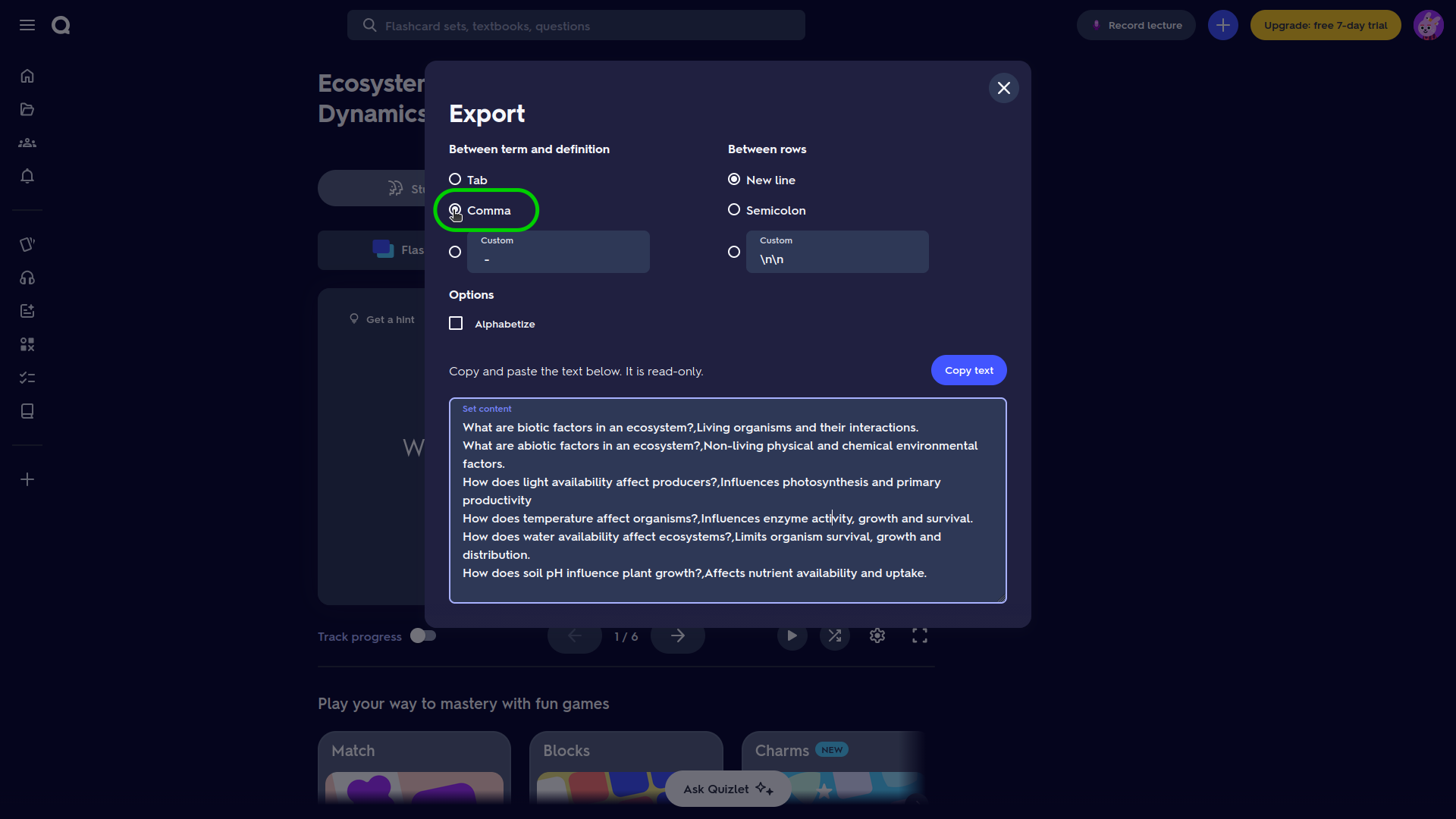
Paste the export into FlashcardPrinter
Save any existing FlashcardPrinter work, then start with an empty editor for a separate deck.
Open FlashcardPrinter and choose Import Quizlet. Paste the exported text into the box, then choose Import Flashcards. The terms become the fronts and the definitions become the backs.
Review the cards and choose your paper
Set Paper Size to match your paper and adjust Card Size and Font as needed.
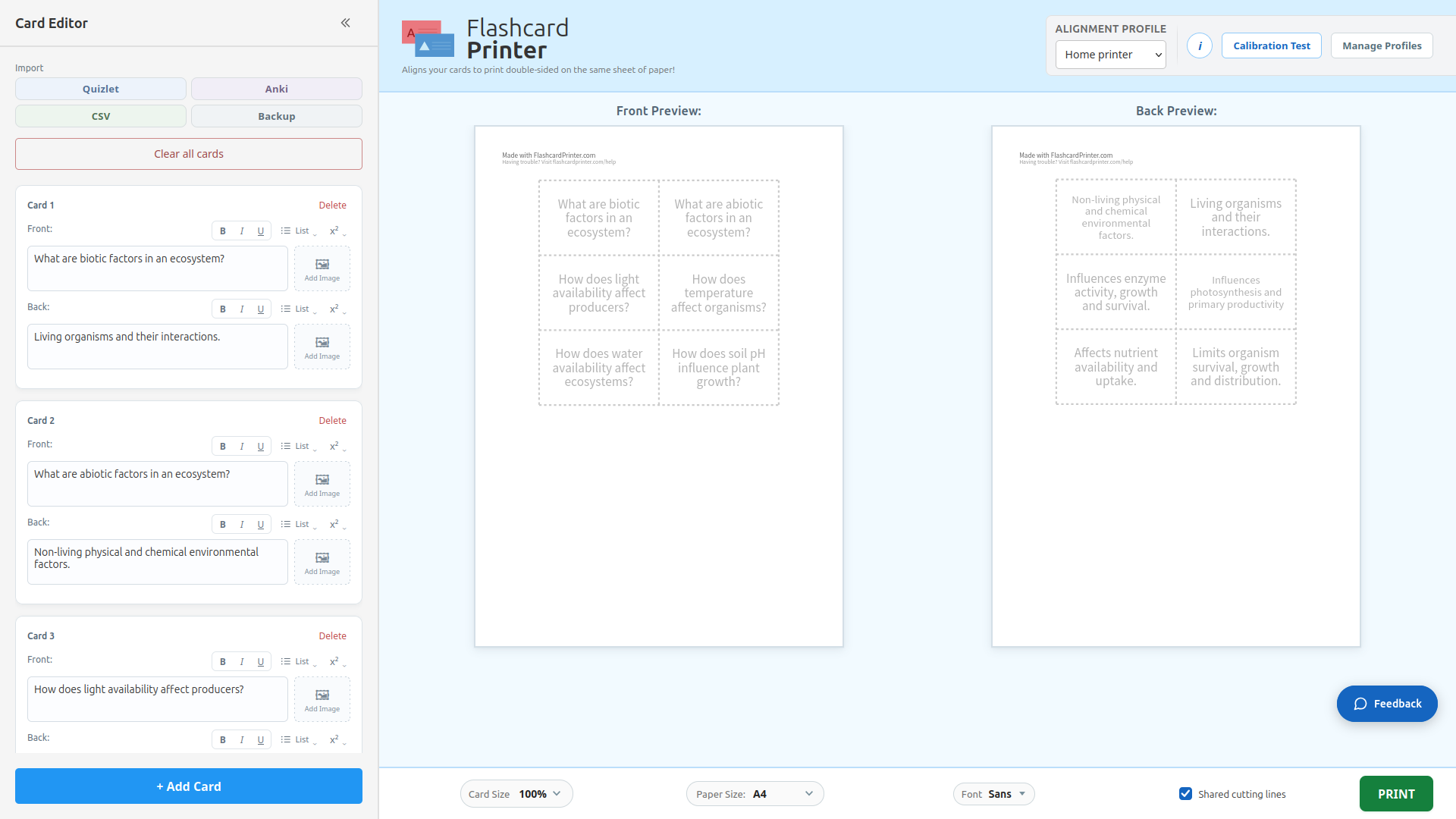
Align the fronts and backs for your printer
Choose Calibration Test → Download Test Page with the correct paper size. Print it double-sided at 100% / actual size using flip on long edge.
Choose Next, hold the sheet to a light with the L side facing you, and adjust the red rectangle to match the printed result. Save the profile.
Print your cards!
Choose PRINT → Download PDF and open the file, or choose PRINT → Print and use the browser’s print controls in the print-ready view.
- Use the same paper size and 100% / actual size.
- Select double-sided printing, and flip on long edge.
Sources & notes
External sources load only when you choose a link. Platform instructions checked on 27 October 2026; interface labels can change.
- Quizlet Help Center. Exporting your sets. Official export steps and restrictions.Read Quizlet’s export instructions · ↩ Back to text